How I built a local AI workflow for lesson design, knowledge structuring, and more intentional student use of AI
It has been a while since I last wrote here.
I could spend this post explaining the gap, but I do not think that is the most interesting part of the story. What matters more is what changed while I was away. And a lot changed.
Artificial intelligence stopped being a distant idea, a niche topic, or something reserved for researchers and tech enthusiasts. It became part of everyday life. It entered how people write, search, plan, brainstorm, solve problems, and learn. Quietly in some cases, aggressively in others, but steadily enough that ignoring it is no longer a serious option.
That matters because when a new technology changes how people access information, it also changes what they expect from learning. It changes the pace. It changes the format. It changes the threshold for friction. And perhaps most importantly, it changes the relationship between the learner and knowledge itself.
For a long time, many of us built learning experiences around a relatively stable assumption: that learning would happen in a structured environment, through a clear sequence, with a beginning, middle, and end. A course. A module. A lesson. A reading. A video. An assessment. Step by step.
That model still has value. In many cases, it still works. Some things do need structure, sequence, pacing, and guided progression. I am not interested in pretending that everything old is broken just because something new arrived.
But I do think the default has changed.
People do not wait to be taught the way they used to. They search. They skim. They compare. They ask follow-up questions. They jump between sources. They learn in fragments and assemble understanding as they go. And now, with AI, they can ask for an explanation in their own words, at their own level, in their own context, and get an answer in seconds.
That does not automatically make learning better. But it does make it different.
And that difference is exactly why I wanted this post to be my return.
Not because I want to talk about AI as a trend, or because I want to showcase a technical setup for the sake of novelty. I am writing this because I think we are in the middle of a deeper shift. The tools changed, yes. But more importantly, the surface of learning changed. Where learning happens. How it starts. What learners expect. What counts as support. What counts as friction. What counts as useful.
If we work in education, training, or knowledge design, that shift should matter to us.
Because whether we like it or not, AI is already in the room.

A 2025 HEPI survey found that 92% of students reported using some kind of AI tool, and 88% reported using generative AI in assessment-related ways. Those numbers do not describe a future possibility. They describe a present reality.
So this post is not simply about installing or using a new AI tool.
It is about something more important.
It is about what educators do when the environment changes.
It is about what it means to design learning in a world where AI is already part of how people think, search, and create.
And it is about building something useful, intentional, and grounded in that reality.
One of the biggest mistakes we can make right now is to assume that AI is the only story.
It is not.
Learning is no longer linear
The bigger story is that learning itself has already been changing for years. AI did not invent that shift. It accelerated it.
Think about how most people actually learn something new today.
They do not necessarily begin with a carefully structured course. They often begin with a need. A problem. A curiosity. A task they need to complete. A concept they need to understand quickly. From there, the process becomes messy in a very familiar way. They search. They open multiple tabs. They watch part of a video. They skim an article. They compare explanations. They copy a few notes. They ask someone. They try something. They go back. They refine the question. They look again.
In other words, learning often starts inside the workflow, not outside it.
It happens while doing. It happens under pressure. It happens in context.
And that changes everything for those of us who design learning experiences.
Because once learning becomes more contextual, more on-demand, and more fragmented, the old idea that education must always arrive in a linear package starts to feel less natural as a default. Not useless. Not obsolete. But no longer sufficient on its own.
This is where AI becomes especially powerful.
Not because it always gives the best answer, and certainly not because it should replace thoughtful teaching, but because it fits the current behavior of learners almost perfectly. A learner can ask a question in plain language, adapt the level of complexity, request examples, challenge the answer, ask for alternatives, and keep refining until the response feels relevant. That is a very different dynamic from passively consuming a static explanation.
It is also why so many people are already using it informally, whether institutions are ready or not.

The same HEPI study found that students are using generative AI not just to generate text, but to explain concepts, summarize articles, suggest research ideas, and save time while improving the quality of their work. In that same report, 67% of students said using AI is essential in today’s world, while only 36% said they had received AI skills training from their institution. That gap is important. It tells us that use is widespread, but guidance is not keeping pace.
And that, to me, is one of the clearest educational signals of this moment.
Learners are adapting faster than systems.
They are already building their own unofficial workflows around AI, search, notes, prompts, and fast contextual support. If educators respond only by defending older formats without understanding this behavioral shift, we risk designing experiences that feel increasingly disconnected from how people actually learn.
That does not mean every course should become a chatbot. It does not mean structure no longer matters. It does not mean deep learning is dead.
It means the expectation landscape has changed.
People want relevance.
They want speed, but not at the cost of meaning.
They want support in their own context.
They want to ask questions in their own words.
They want to move between exploration and guidance, not remain trapped in a single path from start to finish.
And if that is how people are learning now, then educators need to rethink not just content, but format, interaction, feedback, and agency.
That is the real reason this conversation matters.
The challenge is not simply that AI exists.
The challenge is that it has arrived in a learning environment that was already becoming more fluid, more nonlinear, and more learner-driven.
So the question is no longer whether this shift is happening.
The question is whether we are willing to design for it.
We cannot solve this by pretending AI is not there
Whenever education faces a disruptive technology, there is usually a period of confusion where the conversation becomes narrower than it should be.
We start asking small questions because the big ones feel harder.
- Can we ban it?
- Can we detect it?
- Can we stop students from using it?
- Can we force learning back into older forms?
I understand why those questions appear. They come from valid concerns. Academic integrity matters. Authorship matters. Trust matters. Human thinking matters. If a tool can produce polished output quickly, then of course educators will worry about what becomes invisible in the process: effort, understanding, judgment, original thought.
Those are not overreactions. They are real concerns.
But concern alone is not a strategy.
And pretending AI can simply be removed from the environment is not a strategy either.
If anything, that response risks making the situation worse. It creates a gap between institutional language and actual learner behavior. Students keep using the tools, but now they do so without shared expectations, without good guidance, and without a clear understanding of what responsible use looks like.
That is exactly why I think the most useful response is not denial, and not surrender, but design.
We cannot build for a world where AI does not exist.
We have to build for a world where it does, and where learners need help using it well.
That means the educator’s role becomes even more important, not less. We are not just content providers anymore. We are designers of conditions. We define the rules, the boundaries, the friction points, the moments where students should think alone, the moments where support is appropriate, and the moments where they must critically evaluate what a system gives them.
In other words, the answer is not to remove the human. The answer is to make human responsibility more visible.

This is one of the reasons I find the AI Assessment Scale so useful. In its original formulation, the framework was designed to help educators align the level of allowed GenAI use with the actual learning outcome of the task, from no AI to full AI. It is practical, flexible, and built around clarity rather than panic.
Just as importantly, later pilot implementation research around the AIAS argued that banning or blocking GenAI tools had proven ineffective, and that better results came from redesigning assessment in ways that preserve meaningful human contribution while integrating the technology more transparently. The study reported a reduction in academic misconduct cases related to GenAI and stronger student engagement with the technology when expectations were structured more clearly.
That matters.
Because it suggests that the real educational challenge is not simply how to police AI, but how to design around it intelligently.
- How do we create activities where students still need to question, interpret, compare, judge, defend, and reflect?
- How do we allow useful forms of support without collapsing the task into button-pressing?
- How do we preserve rigor without pretending the technological environment is frozen in time?
Those are design questions.
And design questions are where educators can still lead.
That is the spirit behind the rest of this post.
I am not interested in building an AI workflow that removes the teacher, automates the classroom, or turns learning into a machine-led shortcut. I am interested in building something more useful than that. A system with boundaries, context, and purpose. A system that can save time, support creativity, and make learning more interactive, while still keeping the human in charge.
That is where the pedagogy meets the technology.
And that is where the next part begins.
Why tools are not enough
At this point, it would be easy to reduce the whole conversation to a matter of software.
- Which model should we use?
- Which app is better?
- Which platform is safer?
- Which tool is faster?
- Which assistant sounds smarter?
Those are not useless questions. They matter. But on their own, they are far too small for the moment we are in.
Because the real problem in education is not the lack of tools. If anything, the opposite is true. We are surrounded by tools. New ones appear constantly. Some are impressive, some are shallow, and many are simply variations of the same promise: faster output, less effort, better productivity.
But learning has never depended on tools alone.
A powerful tool in the hands of someone without direction can produce confusion more efficiently. A powerful tool in the hands of someone chasing shortcuts can produce polished emptiness. A powerful tool in a poorly designed activity can hide weak thinking under confident language.
That is why I do not think the conversation should begin with what can the tool do?
It should begin with what do we want the learner to do, understand, question, and become able to do better?
That difference matters.
Because once we start from the learning goal instead of the tool, the whole design process changes. The question is no longer whether AI can help. Of course it can. The better question is where it helps in a way that is pedagogically useful, ethically clear, and still leaves room for visible human judgment.
That is where many educational conversations about AI still feel underdeveloped. We talk about access, but not always about boundaries. We talk about innovation, but not always about intentionality. We talk about efficiency, but not always about the kind of thinking we are protecting or trying to cultivate.
And that is why I believe educators need more than tools.
- We need creative design.
- We need clear expectations.
- We need rules that are understandable and realistic.
- We need guardrails that do not treat students like adversaries, but also do not leave them alone in a vague moral fog.
And we need learning experiences that make it clear when AI is support, when it is collaboration, and when it should step aside.
Because if we cannot fight the existence of AI, and I do not think we can, then the responsible response is not surrender. It is preparation.

Students will live and work in a world where AI is normal. They will write with it, search with it, plan with it, and almost certainly make mistakes with it. The role of education, then, is not to preserve an artificial world where those tools do not exist. It is to help learners develop the judgment to use them properly, critically, and with a clear sense of responsibility.
That means the real value is not in the model itself. It is in the system around the model.
- The prompts.
- The constraints.
- The context.
- The rules of engagement.
- The expectations for what remains human.
- The moments where the learner must still think, compare, justify, revise, and decide.
This is why I am interested in building workflows, not just trying software.
A workflow reflects a philosophy.
And the philosophy I care about is simple: AI should expand what is possible in learning without making human thinking optional.
That is the standard I want to design against. Not novelty for its own sake. Not automation for its own sake. Not faster content for its own sake.
What matters is whether the use of AI produces something more meaningful, more interactive, more adaptable, and more intentional than what we had before.
If it does not, then the fact that it is technically impressive is not enough.
That is why the next step in this conversation is so important.
Before we start installing anything, before we build a workflow, before we generate a single note or activity, we need a way to define what kind of AI use is actually appropriate for a given task.
And that is where a framework becomes essential.
Enter the AI Assessment Scale
One of the reasons so many conversations about AI in education feel chaotic is that they often remain too abstract.
People say things like students can use AI, or students cannot use AI, or AI is allowed with limitations, but without enough detail for those statements to become useful in practice. The result is confusion, inconsistency, and a lot of avoidable anxiety.
- What counts as acceptable use?
- Can a student brainstorm with AI?
- Can they edit with it?
- Can they generate ideas but not final wording?
- Can they use it as part of an exercise if reflection is still required?
- Can they use it fully if the learning goal is not authorship, but strategy, iteration, or evaluation?
These are not minor questions. They shape the task itself.
This is why I find the Artificial Intelligence Assessment Scale, or AIAS, so valuable.
The AIAS was introduced as a practical and flexible framework for integrating generative AI into educational assessment. Rather than treating AI use as a simple yes-or-no issue, it proposes five levels of engagement, ranging from Level 1: No AI to Level 5: Full AI, with each level aligned to different learning goals and different degrees of student responsibility.
That shift is incredibly important.
Because once you frame AI use as a spectrum rather than a binary, the conversation becomes much more educational and much less reactive. The question stops being is AI good or bad? and becomes what kind of AI use supports the purpose of this task without erasing the human work that matters most?
That is a far better question.
- At Level 1, no AI is permitted. This makes sense when the aim is to observe unaided understanding, spontaneous thinking, or direct demonstration of knowledge or skill.
- At Level 2, students may use AI for idea generation, brainstorming, and structuring, but the final output remains fully human-authored.
- At Level 3, AI can help refine and edit the learner’s own work. This is especially useful when the goal is not to test sentence-level fluency, but to support clarity, coherence, or language accessibility.
- At Level 4, the student may use AI to complete part of a task, but must critically evaluate, interpret, compare, or analyze the resulting output.
- At Level 5, AI can be used throughout the process, often in more open-ended, creative, exploratory, or industry-aligned tasks where the human value lies in orchestration, decision-making, and the quality of the final outcome rather than in the absence of machine assistance.

What I appreciate about this model is not only its clarity, but its honesty.
It acknowledges that AI is already part of the landscape. It does not waste energy pretending otherwise. At the same time, it does not collapse into a careless anything goes approach. It preserves a place for human authorship, critical evaluation, and academic integrity, while giving educators a language for making expectations visible.
That visibility matters.
Research on the pilot implementation of the AIAS reported that simple bans and blocking strategies had proven ineffective, and that better outcomes came from assessment redesign that made AI use more transparent and more purposefully aligned with learning. The study also reported a reduction in GenAI-related academic misconduct and stronger student engagement when the framework was used in practice.
To me, that is one of the most useful lessons in this whole debate.
Students do not just need permission or prohibition. They need clarity.
They need to know where AI can support them, where it cannot replace them, and where their own interpretation, decisions, and accountability remain essential.
That is exactly why this framework sits at the center of the workflow I want to explore in this post.
Because I am not interested in showing a local AI stack just to prove that it can generate content. I am interested in showing how it can be used within a more thoughtful educational structure.
In the example I will build later in this article, I will use that structure very deliberately.
One of the activities will align with Level 3, where students use AI as support for refining and improving their own interview questions. The second activity will align more closely with Level 5, where students interact with an AI-driven role or scenario as part of the learning experience.
That distinction matters because the goal of the activity changes.
The role of the tool changes.
The kind of human thinking we want to preserve changes.
And once those differences are made explicit, the technology becomes much easier to design around.
That is the moment where the framework stops being theoretical and starts becoming practical.
Because now we are no longer asking whether AI belongs in education.
We are asking a much more useful question:
What kind of AI belongs in this activity, under these conditions, for this learning goal?
That is the question that makes the next part possible.
Why I chose a local AI setup
Once the pedagogical boundaries are clear, the conversation around technology becomes much more useful.
At that point, I am no longer asking which tool looks the most impressive in a demo, or which platform produces the flashiest output. I am asking something much more practical:
What kind of setup gives me the most control over the way I want to work, design, and teach?
That question is what led me to local AI.
For me, the appeal of a local setup is not just technical curiosity. It is not about building something complicated for the sake of complexity, and it is definitely not about pretending that every educator needs to become a systems engineer. What interests me is that local AI shifts the relationship between the user and the tool.
Instead of adapting myself entirely to someone else’s platform, I can shape the environment more intentionally.
- I can choose the model.
- I can define the workflow.
- I can organize the knowledge base.
- I can decide what the assistant should help with.
- I can build boundaries around the kind of work I want it to support.
I am also not constantly thinking about tokens, limits, or subscriptions. I can explore ideas, iterate, and build without that invisible pressure shaping how and when I use the tool. And perhaps most importantly, I can keep the whole process closer to my own context.
That last part matters a lot in education.
When we work with learners, lesson materials, prompts, notes, historical context, rubrics, examples, and draft activities, we are rarely dealing with just one clean input and one clean output. The process is layered. There are ideas in progress, half-finished structures, notes that still need sorting, questions that are not fully defined yet, and learning goals that need to be translated into activities. In that kind of environment, what I need is not just an answer machine. I need an assistant that can work with my materials and inside a workflow that makes sense to me.

That is exactly why this stack felt so promising.
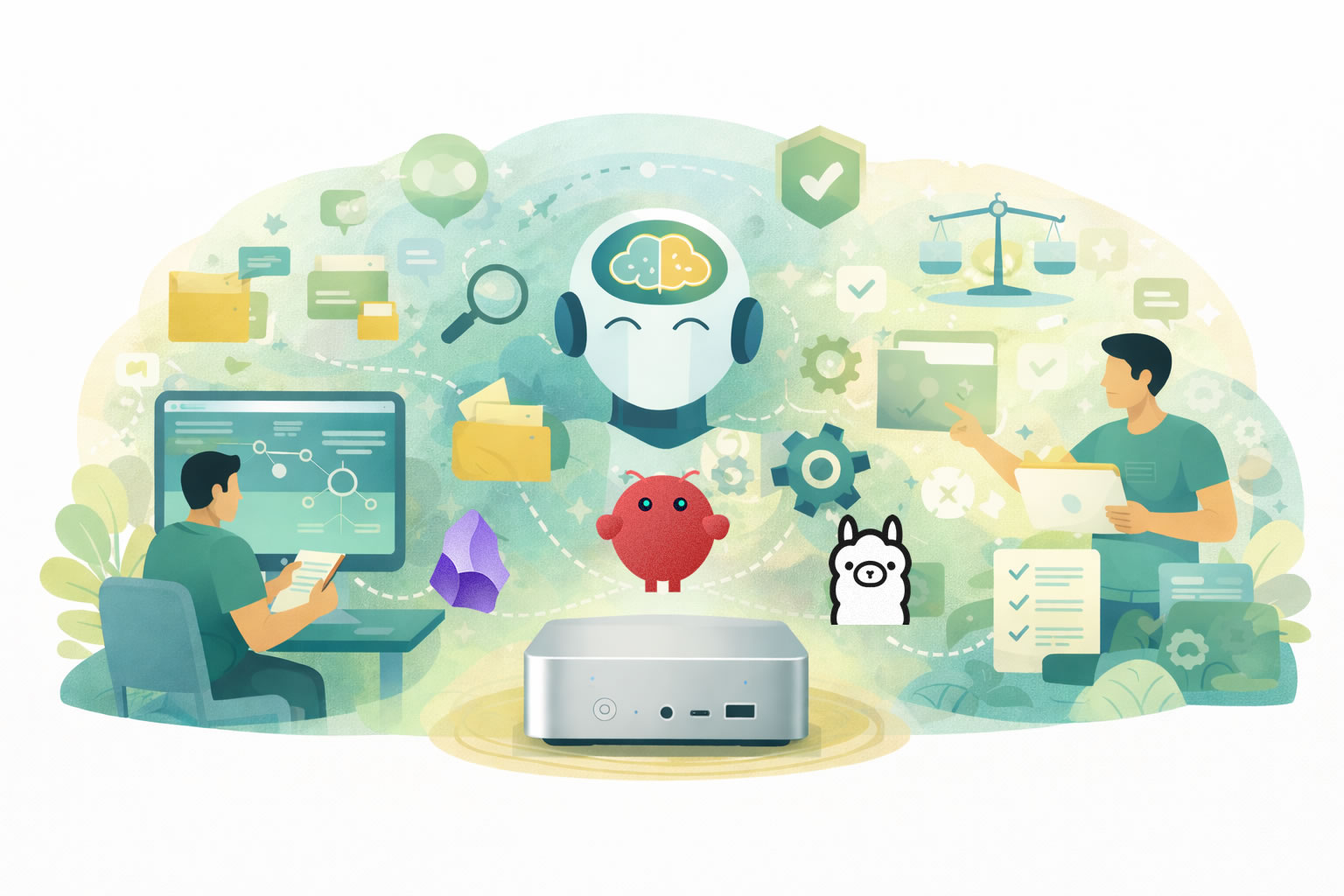
- Beelink gives me reliable and powerful hardware in a small form factor.
- Ubuntu gives me a stable base to work from.
- Ollama lets me run local language models in a way that feels relatively simple and accessible.
- OpenClaw gives me a structured way to work with AI, acting as a partner that follows instructions, manages context, and helps turn ideas into organized outputs.
- Obsidian gives me something I consider essential in this whole process: a place to build and connect knowledge, not just store files.
Together, these tools create something more interesting than a chatbot.
They create the possibility of a working environment.
A place where I can move from raw ideas to organized notes, from notes to structured knowledge, from structured knowledge to reusable instructional assets, and from there into actual classroom activities.
That is the part that excites me most.
Because when people talk about AI in education, the conversation often jumps straight to output. Generate a lesson. Generate a quiz. Generate an explanation. Generate a worksheet.
But I am much more interested in the design space that happens before the final output.
- How do I shape the assistant’s behavior?
- How do I define what it should and should not do?
- How do I make it useful for my own workflow, not just generally impressive?
- How do I build something that supports my work as an educator instead of turning me into a passive reviewer of machine-generated material?
That is the real promise of local AI for me.
Not total automation.
Not replacement.
Not speed at any cost.
What I want is control, adaptability, and a system I can treat less like a vending machine and more like a working partner with boundaries.
And there is another reason I find this especially valuable.
In a moment when so many AI experiences are becoming more closed, more abstracted, and more dependent on someone else’s interface decisions, there is something deeply useful about building a setup that makes the logic of the process visible again. I can see the structure. I can define the folders. I can write the files that shape behavior. I can organize the knowledge base in a way that reflects how I think about a subject.
For educators, that visibility is not just a technical preference. It is part of the pedagogy.
Because if I want to teach responsibly with AI, I need to understand the conditions under which it is being used. I need to know where the context comes from, how the task is framed, what constraints are in place, and what kind of output I am actually asking for.
A local setup does not automatically solve those questions, of course. But it gives me a much better space in which to answer them deliberately.
That is why this post is not simply about installing tools. It is about building a small learning design environment: one that can help me create knowledge, shape activities, save time, and still keep the educator firmly at the center of the process.
But theory only matters if it becomes practice. So instead of stopping here to talk about the setup in abstract terms, let’s build it.
The system I am using for this experiment runs on a Beelink SER9 Pro AMD Ryzen™ AI 9 HX 370 with 64GB of RAM running Ubuntu.

And the stack is simple: Ollama to run the model locally, Obsidian to structure the knowledge base, and OpenClaw to add a more agent-like layer that can help me turn raw material into something more usable.
My goal is not just to get a model running. My goal is to create a workflow that can move from topic to wiki, from wiki to mini brain, and from mini brain to classroom activity.
Before we jump in, one quick note: I am going to keep this part practical and focused. I will not go deep into troubleshooting or edge cases, because that depends heavily on each person’s hardware, setup, and constraints. This workflow can also run on Windows, but the exact steps may vary. There are already countless guides that cover those scenarios in detail. What I am sharing here is simply what worked for me. And that is part of the point. When you control your own workflow, you are not locked into a single “correct” way of doing things. You can test, adjust, and adapt the setup to your own context. More importantly, the focus here is not the technology itself, but what you can do with it. The goal is not just to get a model running, but to build a workflow that supports real learning design.
So let’s start with the first step: installing Ollama and pulling the model.
Installing Ollama
The first step is getting a local model running, and for that I am using Ollama.
Ollama makes it very easy to run local language models without dealing with complex setup or dependencies. It gives you a simple interface to download, run, and manage models directly from your machine.
1. Install Ollama
On Ubuntu, you can install it with:
curl -fsSL https://ollama.com/install.sh | sh

Once the installation is complete, you can verify it by running:
ollama -v
If everything is working, you are ready to pull your first model.
(If you are on Windows or another OS, the installation process is slightly different, but the idea is the same. There are plenty of guides available depending on your setup.)
2. Pull a model
For this workflow, I am using:
ollama pull qwen3.5:9b
This model strikes a good balance between performance and capability for a local setup. It is strong enough to be useful, but still practical to run on a mini PC.
Once the download is complete, you can test it with:
ollama run qwen3.5:9b
Prompt something, if you get a response, you are good to go.
At this point, you already have something important: a local AI model running on your own machine.
That alone changes the dynamic.
You are no longer dependent on an external interface. You have something you can integrate into your own workflow, shape, and use as part of a larger system.
And that is where things start to get interesting.
Installing Obsidian
The next step is installing Obsidian, which we will use later to organize and work with our content.
Obsidian is a lightweight tool for managing notes locally, and it works well as a foundation for building a structured knowledge base.
1. Download and install
Go to the official Obsidian website and download the version for your operating system.

Follow the standard installation process for your OS. The setup is straightforward and should only take a couple of minutes.
2. Create a vault
Once installed, open Obsidian and create a new vault.
A vault is simply a folder on your machine where this system will live. You can name it however you like and store it wherever it makes sense for your workflow.
For now, that is all we need.
Installing OpenClaw
With Ollama and Obsidian ready, the next step is OpenClaw.
OpenClaw adds a layer on top of your local model that allows you to define structure, instructions, and behavior. Instead of working with isolated prompts, you begin working with a system that can persist context and follow a more intentional setup.
1. Install OpenClaw
On Ubuntu, you can install it with:
curl -fsSL https://openclaw.ai/install.sh | bash
This will install OpenClaw and launch the onboarding process directly in your terminal.

2. Go through the onboarding
Once the installation is complete, OpenClaw will guide you through a step-by-step setup.
A few things to keep in mind:
- Navigation happens in the terminal.
- Use arrow keys to move, space to select, and enter to confirm.
- You will be asked to choose a default model.
- In this setup, you can select your local Ollama model.
- You may see options for external providers.
- These are optional. Since we are working locally, you can skip or ignore them.
- Some features like web search or additional tools can be configured later.
- There is no need to enable everything at this stage.
3. Keep it simple
OpenClaw includes a number of advanced options:
- external integrations
- messaging channels
- additional tools and skills
For this workflow, you do not need most of them.
The goal here is not to build a fully connected agent.
The goal is to create a controlled local environment you can build on.
4. Let it generate its base files
During onboarding, OpenClaw will create a workspace folder, usually something like:
.openclaw/[agent-name]-workspace/
Inside, it will generate a set of files that define how your agent works.
You will see things like:
- AGENTS.md → core instructions and memory
- SOUL.md → tone, behavior, and boundaries
- IDENTITY.md → basic agent definition
- TOOLS.md → how tools are used
- USER.md → information about you
You do not need to edit these yet.
Just know that this is where the system starts becoming customizable.
5. Verify everything works
Before moving forward, do a quick test:
- Make sure OpenClaw starts correctly.
- Confirm it connects to your Ollama model.
- Send a simple request and verify you get a response.
- Confirm it can see your vault folder.
If that works, your setup is ready.
The use case: from raw content to classroom activity
Now that the setup is ready, the real question is what we do with it.
For this example, I am not using the system to generate a one-off lesson or a generic worksheet. I am using it to build a small LLM Wiki, inspired by Andrej Karpathy’s wiki pattern, so I can have much more control over the context before I generate anything student-facing. In the workflow document, OpenClaw is explicitly positioned as a knowledge base and lesson architect that maintains a structured wiki from source materials and then builds Mini Brains from that context.
That distinction matters.
I do not want the activity to depend on whatever the model happens to know in the moment. I want it to work from a context layer I can inspect, organize, improve, and reuse. That is why the workflow starts with raw content, moves into a wiki, and only then produces the student-facing assets.
In practical terms, the structure is very simple:
vault/
├── raw/
├── wiki/
├── minibrains/
└── instructions.md
The logic behind it is just as simple. The raw/ folder holds the original source material. The wiki/ folder becomes the structured knowledge base maintained by OpenClaw. The minibrains/ folder stores the student-facing persona files. And instructions.md tells OpenClaw what kind of system this is supposed to be, how it should ingest information, how it should organize knowledge, and how it should create Mini Brains. In the attached instructions, raw/ is explicitly treated as immutable, wiki/ contains the maintained markdown pages plus an index and log, and minibrains/ contains the AIAS-aligned persona files students will use.
What I like about this structure is that it is clear without being rigid.
Nothing here is carved in stone. You can change the folders, rename the files, simplify the workflow, or expand it depending on their own context. The point is not to present a sacred architecture. The point is to show one practical pattern that makes the workflow more intentional and easier to control.
The most important file in this setup is probably instructions.md.
That file acts like the operational logic of the project. It tells OpenClaw what its purpose is, what each folder is for, how ingestion should work, how wiki pages should be formatted, how Mini Brains should be created, how AIAS levels should be respected, and even how citations, logging, and audits should be handled. In other words, OpenClaw is not improvising its role from scratch. It is being given a job description, a structure, and a set of boundaries before the real work begins.
This file did not appear out of nowhere. It is the result of combining ideas from different sources over time, including guides, videos, the original GitHub llm-wiki repository, and experimentation. At this point, I honestly cannot trace back the exact origin of the original structure. If the original author of this pattern happens to come across this, I would like to acknowledge that this work builds on that foundation and express my thanks.
That matters because once the assistant has clear instructions, the workflow becomes much more reliable.
Instead of throwing prompts at a model and hoping the answers stay coherent, I can feed the system raw content and let it process that material inside a defined structure. In this use case, the raw content is the source material I want the system to ingest so it can create a contextual knowledge layer before generating student-facing outputs. According to the instructions, that ingest workflow includes reading the full source, discussing key takeaways, creating summary pages, mapping historical concepts, interlinking them, and updating both the index and the log.
This is where the wiki becomes important.
The wiki is not just a storage area for summaries. It is the layer that gives me control over context. It lets the system map concepts, connect ideas, and keep a visible record of how the knowledge base evolves. It also gives me something I can review and refine before I move into activity design. That is a very different dynamic from jumping straight from source material to quiz questions or roleplay prompts.
Once the vault is created, I need to make sure OpenClaw knows where the project lives and what rules it should follow. In my case, the vault sits in a local path such as ~/Documents/Vault/, and one of the first things I ask is whether OpenClaw can access that location, see the raw/, wiki/, and minibrains/ folders, and read the instructions.md file. That matters because I do not want the assistant to improvise the workflow from scratch. I want it to work inside the structure and rules already defined in the vault.
Before asking it to ingest anything, I start with a simple verification prompt:
Can you confirm that you have access to ~/Documents/Vault/ and that you can see the raw/, wiki/, and minibrains/ folders, as well as the instructions.md file? Please read the instructions file and tell me if anything is unclear before we begin.
Once that is confirmed, I can move to the actual ingest step. In this example, I added two files into the raw/ folder: a copy of the Industrial Revolution Wikipedia article and a transcription of a 1 hour and 40 minute YouTube video on the topic.
Then I prompted OpenClaw like this:
I just added 2 files about the Industrial Revolution to the raw/ folder. Please read them, follow the instructions in instructions.md, and update the wiki.
From there, OpenClaw begins working through the ingest workflow, but this is more than just reading and summarizing.
It acts as an ally in the process.
It reads the raw content, identifies key ideas, extracts relevant concepts, and starts shaping them into a structured knowledge system. It decides what deserves its own page, what should be grouped, how concepts relate to each other, and where links should be created. It builds summaries, organizes information, connects topics, and prepares everything so it can be reused later.
Instead of giving me a single output, it is doing the groundwork of curation, organization, and context building.
If it runs into roadblocks, it can say so. Once it finishes reading, it reports what it found, what it plans to create or update, and asks for final approval before making changes. That step is important because it keeps the workflow collaborative. I can validate the direction, adjust the scope, or refine the approach before the knowledge base expands.
Once approved, OpenClaw moves from planning to execution.
It creates the wiki pages, maps the concepts, establishes relationships between them, updates the index, logs the changes, and turns raw material into something structured and navigable. What started as a couple of files becomes a growing network of connected ideas.
This is where the system really starts to come alive.

In Obsidian, the Graph View begins to fill with nodes and links as the wiki expands. Concepts that were previously buried inside long documents now exist as individual pieces that can be explored, connected, and reused. The context is no longer hidden. It becomes visible, inspectable, and editable.
This is also where Obsidian becomes especially useful as a lightweight, RAG-like context system. If I want to refine the context, I do not need to rebuild anything complex. I can simply open a note, adjust the content, save it, and the knowledge base improves instantly.
That combination is what makes the workflow so powerful.
OpenClaw handles the heavy lifting of turning raw content into structured knowledge, and Obsidian gives me full control to review, edit, and shape that knowledge over time.
Once I am happy with the wiki, the next step is to move from context building into activity design. At that point, I can ask OpenClaw to help me brainstorm possible Mini Brains, shape the persona traits, define the boundaries, and then generate the final files students will actually use.
Once that contextual layer is in place, the workflow can move into the next phase: creating Mini Brains.
A Mini Brain is not just a prompt, and it is not just a persona. In this system, it is a focused document that combines identity, purpose, behavior rules, instruction priority, knowledge reference, and compliance logic for a specific task. The attached instructions define a Mini Brain as a structured file containing a one-sentence identity, an AIAS level, a purpose, instruction priority, required and forbidden behaviors, a knowledge reference, and compliance judgment logic.
That structure is what makes Mini Brains powerful.
They do not only support the lesson we are teaching, they also actively build AI literacy. Students are not just interacting with a model. They are learning how to work with AI under clear conditions, understanding what it can and cannot do, and developing the judgment to use it responsibly.
In many ways, a Mini Brain works like a portable custom GPT.
Instead of relying on a specific platform, subscription, or feature set, the behavior is defined in the document itself. That means students can use it with the LLM of their choice, whether it is a free account, a school-provided tool, or even a local model.
That portability matters.
It lowers the barrier to entry and makes the activity more accessible. Students do not need premium tools to participate. This becomes especially valuable in remote areas, low-income contexts, or environments where access to technology is uneven. The learning experience is not locked behind a platform. It travels with the student.
Instead of asking an LLM to improvise a role from general knowledge, I can give students a bounded context and a clear behavioral frame. The AI they use is still their own tool, but the Mini Brain shapes how that tool behaves during the activity.
That shift is subtle, but important.
Because it moves the focus away from the tool itself and into the design of the interaction.
For this lesson, I want to create two Mini Brains.

At first, I asked OpenClaw to suggest a few personas, just to test it. The results were great, but since I already had a specific activity in mind, I then prompted it to update some content in the wiki and create two focused Mini Brains based on that idea.
The first will help students prepare their interview questions. This is the more guided layer. It is designed to support students as they think about what to ask, refine their wording, and structure their approach before the actual interaction.
The second will be the historical person they will interview. That Mini Brain will contain the persona, the contextual knowledge, and the behavioral rules needed for the roleplay itself.
This is where the activity becomes especially interesting.
Students will not just be told to “use AI”. They will be given a much more intentional structure. First, they will use one Mini Brain to help them prepare. Then they will use another Mini Brain to conduct an interview with a person situated during the Industrial Revolution. They will do this with the LLM of their choice, following the instructions I provide, and their final submission will include not just the finished assignment, but also a copy of their interactions with the AIs they used. That requirement keeps the process more visible, more reflective, and more aligned with the idea that AI use in learning should be explicit rather than hidden.
That, for me, is the real value of this workflow.
It is not just that it can generate content locally. It is that it lets me move from source material, to structured context, to task-specific AI behavior, and finally to a student activity that is more guided, more transparent, and more pedagogically intentional.
In other words, the local setup is not the endpoint.
It is the foundation that makes the learning design possible.
After some minutes, the Mini Brains were ready.
Putting the Mini Brains to work
Now that the Mini Brains are ready, it is time to take them for a spin.
At this point, the workflow moves from design into assessment. I now need to turn all of this into an activity students can actually complete. The goal is not just to give them a clever file and hope for the best. The goal is to create a clear, bounded, and intentional learning experience.
For the first stage of the activity, students will use the Level 3 Mini Brain. This is the one designed to help them improve their interview questions about the Industrial Revolution. The AI is there as a thinking partner, not as a shortcut.
That first stage is intentionally focused and constrained. The goal is not speed. It is not convenience. It is not asking AI to produce something polished on demand. The goal is to help students slow down just enough to think, refine, and take ownership of their questions.
At this level, the Mini Brain acts as a guide. It helps students improve wording, deepen their thinking, and check whether their questions actually fit the historical context of the assignment. But the intellectual work still belongs to them. They are the ones deciding what to ask, what to change, and what is worth keeping.
That matters because good use of AI in education is not just about permission. It is about role clarity. If students do not understand what the AI is there to do, the tool quickly becomes a shortcut instead of a support system.
Once that first stage is complete, the activity can expand.
Now that students have a stronger set of questions, they are ready for the second Mini Brain. This is where the workflow becomes more interactive, more immersive, and more open-ended. Instead of using AI as an editor, students now use it as part of the learning environment itself.
The second Mini Brain is designed to embody the historical person they will interview. It gives the model a persona, a bounded historical context, and a clear set of behavior rules so the interaction stays aligned with the lesson. In other words, the AI is no longer helping students prepare for the activity. It is now part of the activity.
This is also where the shift from Level 3 to Level 5 becomes visible.
In the first stage, the AI supports refinement. In the second, it supports co-creation and dialogue. Students take the questions they developed, engage with the historical persona, and use that conversation to explore the realities, tensions, and perspectives of life during the Industrial Revolution.
That change in role is exactly why both Mini Brains matter. One helps students build better questions. The other helps them put those questions to work in a more dynamic and meaningful interaction.
Here is the Level 5 assignment students would receive for that second stage.
What I found most interesting is that the Mini Brains are not just a concept. They work. They shape the interaction in a very noticeable way.
Full documentation: https://github.com/elgafasposta/mini-brains
If you want to get the most out of this post, do not just read about them. Try them. Upload the files to your favorite AI, start the workflow, and experience how different the interaction feels when the AI is given a clear role and a defined context.
Conclusion: designing with AI, not surrendering to it
If there is one thing this whole experiment reinforced for me, it is that AI becomes most useful when we stop treating it like a magic box and start treating it like part of a designed system.
That, to me, is the real lesson here.
The most interesting part of this workflow was never the fact that I could run a model locally. It was never just Ollama, or Obsidian, or OpenClaw, or the satisfaction of seeing a graph fill with nodes and concepts. Those things matter. They make the workflow possible. But they are not the point.
The point is what happens when we take these tools and use them with intention.
In this example, that meant building a small LLM Wiki to control context, using that context to create Mini Brains, and then turning those Mini Brains into a learning experience that helps students think more deeply, ask better questions, and interact with AI in a way that is visible, bounded, and purposeful.
It also revealed something else.
Because Mini Brains are essentially portable custom GPTs, the experience is not locked behind a platform, a subscription, or a specific tool. Students can use them with the AI they already have access to, whether that is a free account or a local model. That makes this kind of approach not just flexible, but also more accessible, especially in contexts where resources are limited.
That is a very different mindset from simply asking a chatbot to do the work.
And I think that difference matters more than ever.
Because the future of learning is not going to be shaped by educators who try to pretend these tools do not exist. It will be shaped by educators who learn how to use them in our favor. Not to replace thought, but to support it. Not to automate the human out of the process, but to make human judgment, creativity, and design even more important.
That is where I believe our role is evolving.
We are no longer just content creators, course builders, or subject matter translators. More and more, we are becoming creative enablers. We are the ones who define the rules, shape the workflows, create the guardrails, design the experiences, and prepare learners not just to consume knowledge, but to navigate a world where AI is already part of how knowledge is found, shaped, and used.
And that preparation matters.
Our students do not need a fantasy classroom where AI has been locked outside the door. They need help learning how to work with it responsibly, critically, and intentionally. They need to know when it can support them, when it should be challenged, when it should be constrained, and when their own thinking needs to remain fully in the driver’s seat.
That is also why workflows like this are not just about content creation. They are about AI literacy.
Not learning what buttons to press, but learning how to define context, set boundaries, and shape interactions in a way that produces meaningful outcomes.
That is why I find this kind of workflow so exciting.
That is also why tools like OpenClaw deserve more attention in this space.
Not because they are complex, but because they can act as a real ally for educators.
Teachers are already navigating heavy workloads, limited time, and constant pressure to keep students engaged. Designing meaningful activities, adapting content, creating variations, and finding ways to make learning more interactive is not trivial. It takes time, energy, and creativity.
What OpenClaw makes possible is a different kind of support.
It helps with the heavy lifting of organizing content, structuring knowledge, and preparing reusable assets like Mini Brains. It gives educators a way to experiment with gamified interactions, role-based learning, and more dynamic classroom experiences without starting from scratch every time.
It also opens the door to more inclusive learning environments.
Because the output is portable, flexible, and not tied to a single platform, it allows students with different levels of access to participate using the tools they already have. Whether they are working with free accounts or local setups, the experience can still be structured, guided, and meaningful.
That combination matters.
It means we are not just adding another tool to the stack. We are creating a system that helps educators save time, extend their creativity, and design learning experiences that are more engaging and more accessible at the same time.
Not because it is the only way to do things, and not because everyone should copy this exact structure, but because it shows what becomes possible when we stop thinking about AI as just another app and start thinking about it as something we can shape around our own goals.
And this is only one example.
The same logic could be adapted in all kinds of directions.
With a different context layer, different personas, and different instructions, this could become a workflow for corporate learning, where sales teams practice conversations with realistic prospects, where HR teams rehearse interviews, where managers train for difficult conversations, or where onboarding becomes more interactive and contextual. The structure stays the same, but the use case changes.
That is the beauty of it.
Once you understand the pattern, the possibilities open up very quickly.
- The wiki can change.
- The personas can change.
- The Mini Brains can change.
- The activity can change.
- The audience can change.
What remains is the underlying idea: create context, define behavior, shape the interaction, and keep the human in charge.
That is why I do not see workflows like this as technical curiosities. I see them as early examples of how we can build more intentional, more flexible, and more creative learning environments in a world that is already changing.
And honestly, I think we are only getting started.
The tools will change. The models will improve. The interfaces will evolve. But the deeper opportunity will remain the same: to use technology not as a replacement for thoughtful teaching and design, but as a way to extend what good teaching and design can become.
That is the direction I want to keep exploring.
Because if we are willing to move beyond fear, beyond hype, and beyond passive adoption, then AI does not have to be something that happens to education.
It can become something we actively shape for learning.
And once we start thinking that way, the sky is the limit.